
Cloud migrations rarely fail because of the cloud. AWS, Azure, and GCP are all mature platforms capable of running almost any enterprise workload reliably. When migrations run over budget or miss deadlines, the cause is almost always sequencing — not the technology.
Cloud migrations rarely fail because of the cloud. AWS, Azure, and GCP are all mature, well-documented platforms capable of running almost any enterprise workload reliably. When migrations run over budget, miss deadlines, or cause outages, the cause is almost always sequencing and planning — not the underlying technology.
The Sequencing Mistake That Sinks Most Migrations
The most common failure pattern looks like this: a team picks the easiest-looking application to migrate first, without fully mapping what it connects to. Midway through cutover, they discover a dependency on an internal service, a legacy database with undocumented access patterns, or a scheduled job nobody flagged. The migration stalls, the rollback plan wasn't built for this scenario, and what should have been a two-week cutover turns into a six-week incident.
Dependency mapping isn't a formality — it's the single highest-leverage step in the entire migration, and it's the one most frequently rushed.
Choosing Between AWS, Azure, and GCP
This decision gets more attention than it deserves relative to sequencing, but it still matters:
AWS has the broadest service catalog and the deepest market maturity — the safest default when there's no strong existing constraint pulling toward another provider.
Azure tends to be the natural fit for organizations already running on Microsoft identity, Active Directory, or existing Microsoft enterprise agreements — the integration friction is lowest here.
GCP is frequently the stronger choice for data-heavy workloads, analytics pipelines, and teams already standardized on Kubernetes, given Google's origins in that tooling.
For most enterprises, the existing tooling and team expertise should weigh more heavily than a feature-by-feature comparison — a technically superior platform that the internal team has to learn from scratch introduces more delivery risk than a "good enough" platform they already understand.
A Practical Migration Roadmap
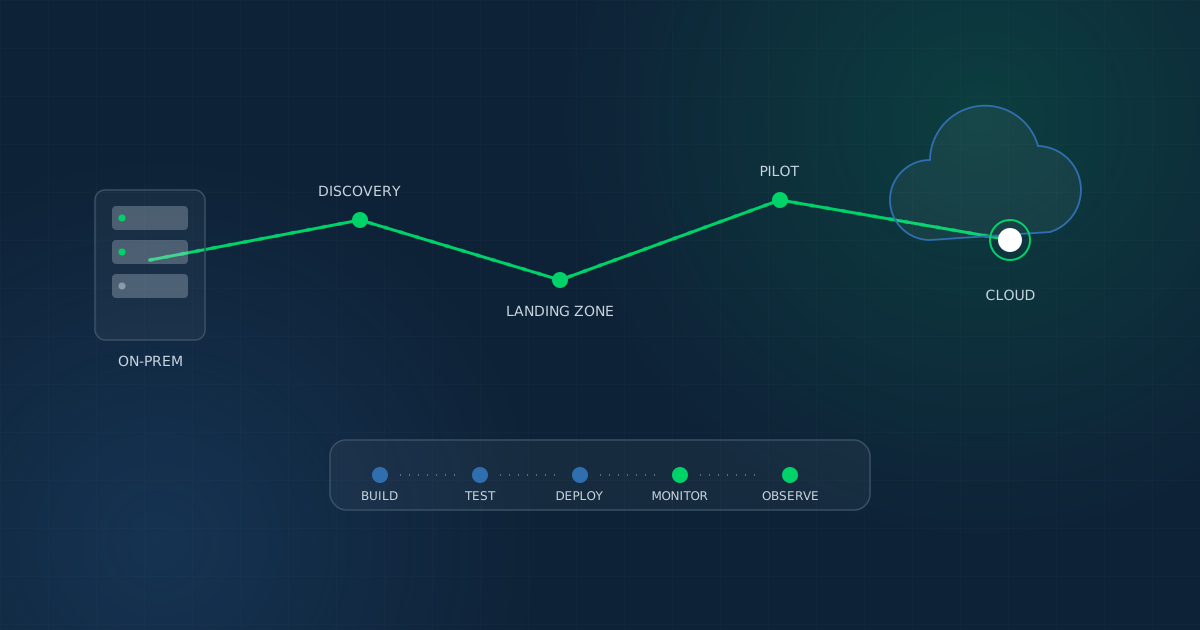
Phase 1 — Discovery and Dependency Mapping (2–4 weeks). Inventory every application, its data dependencies, integration points, and traffic patterns. This phase should produce a migration sequence ranked by risk and complexity — not by which application is easiest to move first.
Phase 2 — Landing Zone and Architecture Design (2–3 weeks). Define the target cloud architecture: networking, identity and access management, security boundaries, and cost governance structure, before a single workload moves.
Phase 3 — Pilot Migration (3–5 weeks). Migrate one low-risk, well-understood application first — not to prove the technology works, but to validate the team's own migration process, tooling, and rollback plan under real conditions.
Phase 4 — Phased Production Migration. Move remaining workloads in risk-ranked order, with a defined rollback window for each. Never migrate two high-dependency systems in the same cutover window.
Phase 5 — Optimization and Cost Governance. Post-migration, cloud costs tend to creep without active governance. Set up monitoring, right-sizing reviews, and budget alerts as a standing practice, not a one-time cleanup.
Why DevOps and CI/CD Should Move Alongside Migration, Not After
A common but costly pattern: migrate infrastructure to the cloud, then keep the same manual deployment process that existed on-premises. This "lift and shift without lift and improve" approach captures the infrastructure benefits of cloud without the operational ones.
Building CI/CD pipelines — automated build, test, and deployment — alongside the migration, rather than as a follow-up project, means the team starts benefiting from faster release cycles and observability from day one, instead of retrofitting automation onto infrastructure that's already stabilized around manual habits.
Core components worth establishing during migration, not after:
- Build automation — consistent, repeatable build pipelines (Jenkins, GitHub Actions, or equivalent)
- Deployment pipelines — automated staging-to-production promotion with defined approval gates
- Monitoring and observability — visibility into performance and failures before they become incidents, not after
- Container orchestration — Docker and Kubernetes where workloads benefit from it, avoided where they add unnecessary complexity
Governance and Cost Control
Cloud cost overruns are rarely a pricing problem — they're a governance problem. Without tagging discipline, budget alerts, and regular right-sizing reviews, cloud spend drifts upward quietly until a quarterly review surfaces an uncomfortable number. Building cost governance into the migration from Phase 2 onward — not bolting it on later — is what keeps cloud economics predictable.
Questions to Ask a Migration Partner Before Starting
- How do you handle dependency mapping for legacy systems with limited documentation?
- What's the rollback plan for each phase, not just the migration as a whole?
- Will CI/CD and monitoring be built during migration or treated as a separate follow-on project?
- How is cost governance structured from day one?
The Bottom Line
Enterprise cloud migration succeeds or fails on sequencing discipline, not provider choice. Thorough dependency mapping before the first workload moves, a pilot migration that validates process before scale, and CI/CD built alongside infrastructure rather than after it are what separate migrations that stay on schedule from the ones that don't.
This is the same sequencing discipline behind our own Cloud & DevOps delivery practice — and the reason AI automation and mobile release pipelines built on top of a migration only work as well as the sequencing underneath them.