
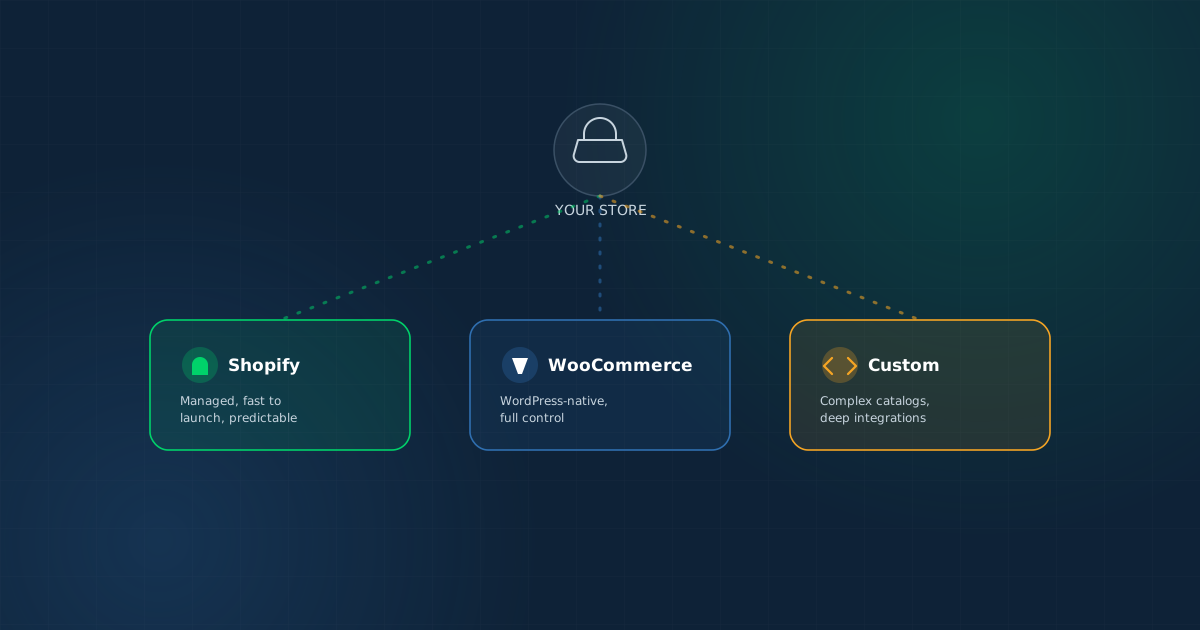
Every ecommerce platform decision eventually turns into a proxy war between people who love one platform and people who've been burned by another. That's not a useful way to decide — here's the practical framework instead.
Every ecommerce platform decision eventually turns into a proxy war between people who love one platform and people who've been burned by another. That's not a useful way to decide. The right platform depends on your catalog, your growth trajectory, and who's going to maintain the store — not which platform has the loudest fans.
Shopify: Managed and Predictable
Shopify handles hosting, security, and platform updates for you, in exchange for a monthly subscription and transaction fees. That trade-off is genuinely valuable for businesses that want to sell, not manage infrastructure.
Shopify tends to be the right fit when:
- You want a managed platform with minimal technical maintenance
- Your catalog and business logic are relatively standard (products, variants, standard discounts)
- You value a large app ecosystem for adding functionality without custom development
- Predictable monthly costs matter more than owning the platform outright
Where Shopify gets limiting: highly custom checkout flows, complex B2B pricing logic, and catalogs with unusual product relationships can require expensive app stacking or hit real platform constraints.
WooCommerce: Flexible and WordPress-Native
WooCommerce turns a WordPress site into a store, which makes it a natural fit for businesses that already run on WordPress or want tight integration between content (blog, landing pages) and commerce.
WooCommerce tends to be the right fit when:
- You're already on WordPress, or want deep content-and-commerce integration
- You want full control over hosting, plugins, and customization without platform fees
- Your team is comfortable managing (or has a partner managing) WordPress maintenance and security
Where WooCommerce gets limiting: performance and security become the store owner's responsibility, and heavily customized stores can accumulate plugin conflicts that make maintenance harder over time.
Custom Ecommerce: Full Control, Full Responsibility
A custom build — often on a framework like Next.js with a headless commerce backend — removes platform constraints entirely, at the cost of owning every part of the build and its ongoing maintenance.
Custom development tends to be the right fit when:
- Catalog logic is genuinely complex — configurable products, tiered B2B pricing, multi-warehouse inventory
- The checkout or purchase flow needs to work in a way no off-the-shelf platform supports natively
- Deep ERP or legacy system integration is a hard requirement, not a nice-to-have
- Transaction volume or performance requirements exceed what a managed platform handles cost-effectively at scale
The tradeoff: custom builds cost more upfront, take longer to launch, and require an ongoing engineering relationship rather than a subscription — but they remove the ceiling that platform constraints eventually put on standard stores.
A Practical Decision Framework
- New store, standard catalog, want to launch fast: Shopify
- Existing WordPress site, content-commerce integration matters: WooCommerce
- Complex B2B pricing, configurable products, multi-warehouse: Custom
- Deep ERP/legacy integration is a hard requirement: Custom
- Tight budget, need to validate demand quickly: Shopify or WooCommerce
- High transaction volume, performance-critical checkout: Custom (or enterprise-tier managed platform)
The Common Mistake: Choosing Before Scoping the Catalog
The most frequent misstep isn't picking the "wrong" platform in the abstract — it's picking a platform before mapping the actual catalog and pricing logic. A seemingly simple product catalog that turns out to need tiered pricing by customer type, or bundled products with independent inventory tracking, can push a "quick Shopify store" into expensive app-stacking territory that a properly scoped WooCommerce or custom build would have handled more cleanly from the start.
What a Proper Shopify Build Actually Involves
Even on a managed platform, a proper store setup isn't just picking a theme. It typically includes:
- Theme customization to match brand and conversion-focused layout
- Product and variant setup, including any bundling or configuration logic
- Payment gateway and shipping configuration
- Tax and regional settings
- App integrations for reviews, email marketing, or loyalty as needed
A properly built Shopify store — theme customization, full product setup, and payment/shipping configuration — typically runs $2,500–$5,000, in addition to Shopify's own subscription.
The Migration Path Most Growing Businesses Take
A common and reasonable pattern: launch on Shopify or WooCommerce to validate demand with minimal upfront investment, then migrate to a custom platform once catalog complexity, transaction volume, or integration needs outgrow what the platform can handle efficiently. Planning for that possibility from day one — clean product data, documented business logic — makes that future migration considerably cheaper than starting from scratch.
The Bottom Line
Shopify, WooCommerce, and custom ecommerce aren't ranked best to worst — they solve different problems. Shopify wins on managed simplicity, WooCommerce wins on WordPress-native flexibility, and custom wins when catalog complexity or integration needs exceed what any platform handles natively. The decision that actually matters is scoping your catalog and growth plan honestly before picking — not picking first and working around the platform's limits later.
Once a store is live, the next lever worth pulling is usually site speed — slow product and checkout pages cost conversions on any platform — alongside the SEO strategy that gets the catalog found in the first place.